Set up an Automated Candlestick Strategy
In this video, you will learn how to set up an automated trading strategy using candlestick patterns on Coinrule. The strategy trades BTC with your USDT wallet and operates on the BTC/USDT pair. All you need to do is set the rule to react to buy and sell signals from TradingView. Once you click Launch, Coinrule provides the data you will copy into your TradingView alerts.
Creating the Alerts on TradingView
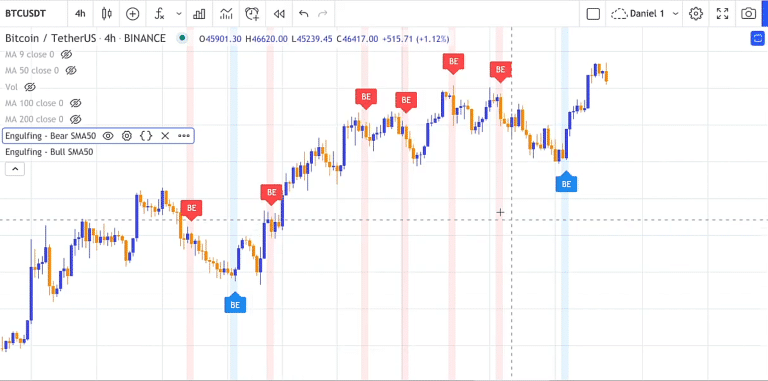
On TradingView, choose the trading pair and timeframe you want to use, here BTC/USDT on the one-hour chart on Binance. Open the Indicators menu, where you’ll find candlestick pattern tools such as bullish and bearish engulfing, which are helpful for spotting reversals, especially on one-hour or four-hour charts. After setting the indicator, create the alert. For the buy signal, enter buy in the alert message and make sure the webhook URL matches the one from Coinrule.
Next, set up the sell alert. You can choose a different timeframe if you prefer, such as the four-hour chart. Copy the webhook URL again and use sell plus the required token in the message.
Launching the Rule
Once both alerts are created, launch the rule live on Coinrule. You now have an automated trading strategy running based on candlestick patterns. Trade safely.
https://www.youtube.com/watch?v=qbfYyYzPfK0
Download Coinrule, the Crypto trading bot on IOS, and on the Google Store.